
You have thirty days left on the loan clock and a living room that still looks like a construction site.
Every flipper knows the feeling: staging quotes come back high, and the closing date does not move.
ai generated interior design has become the budget-friendly workaround, letting flippers show buyers a finished home before a single sofa is delivered.
This guide breaks down what that actually saves, and where it still has limits.
Key takeaways
- Traditional staging for a flip often involves rental furniture, movers and weeks of turnaround.
- vividoo's free tools cover restyling, decluttering and emptying rooms for listing photos.
- AI Room Renovation lets flippers preview flooring, paint and finishes before buying materials.
- Paid plans add exterior and landscape tools for flippers who need curb-appeal upgrades.
- AI previews are for marketing and planning, not a replacement for contractor quotes.
The Real Cost of Staging a Flip for Resale
Physical staging is one of the biggest line items in a flip budget, and it rarely feels optional.
Rental furniture packages, delivery fees, movers and monthly storage charges add up fast on a property that might sit for months.
Many flippers stage only the rooms buyers see in photos, then leave the rest bare, which can look inconsistent in person.
- Furniture rental for a full staging package, typically billed monthly
- Delivery, setup and later pickup labor
- Photography scheduled around the staging window
- Storage costs if the sale takes longer than expected
Pro tip
Ask your stager for a month-to-month contract, not a flat multi-month rate. Flip timelines rarely go as planned.
Where AI Generated Interior Design Cuts Expenses
ai generated interior design removes the need to physically furnish a property just to photograph it.
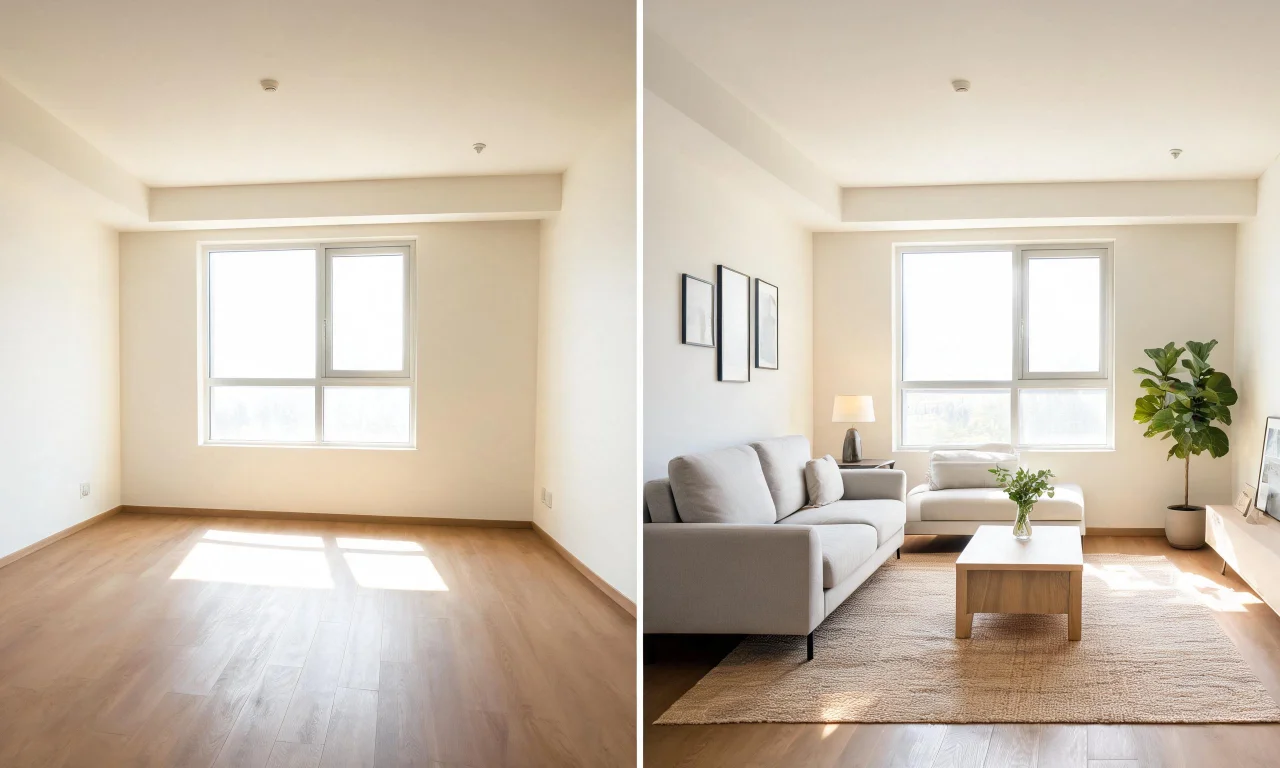
Instead of renting a sofa and rug, a flipper uploads a photo and generates a styled version of the same room.
vividoo's free plan covers several of the workflows flippers use most on listing day.
- AI Room Redesign restyles an already furnished room in a new style
- Virtual Decluttering removes light indoor mess before photos go live
- the Empty Room Generator clears an indoor, outdoor or exterior space
- AI Exterior Redesign restyles facades for curb-appeal shots
- AI Room Renovation previews indoor materials and finishes
None of these require booking a photographer twice or paying a stager for a second visit.
Previewing Finishes with AI Room Renovation
Flippers rarely have time to test five flooring samples against five paint colors in person.
AI Room Renovation lets you preview material and finish choices on a photo of the actual room before ordering anything.
How the workflow typically works
You upload a photo of the space as it currently stands.
The tool generates a version showing a different finish, so you can compare options side by side.
This helps narrow down a shortlist before calling suppliers or contractors for quotes.
A limitation worth knowing
A preview is a visual reference, not a cost estimate or a guarantee of how a material will look once installed.
Always confirm pricing, lead times and installation details with your contractor before committing budget.
Pro tip
Use finish previews to cut a long shortlist to two or three options, then get physical samples for the final call.
Decluttering Before and After Photos for Listings
Buyers scroll past cluttered listing photos in seconds, which makes clean images one of the highest-leverage upgrades available.
Virtual Decluttering removes light indoor clutter from a photo, giving flippers a tidier "before" shot without a cleaning crew.
For a fully vacant unit, the Empty Room Generator clears the space entirely, which is useful for listings that still show leftover furniture from a previous owner.
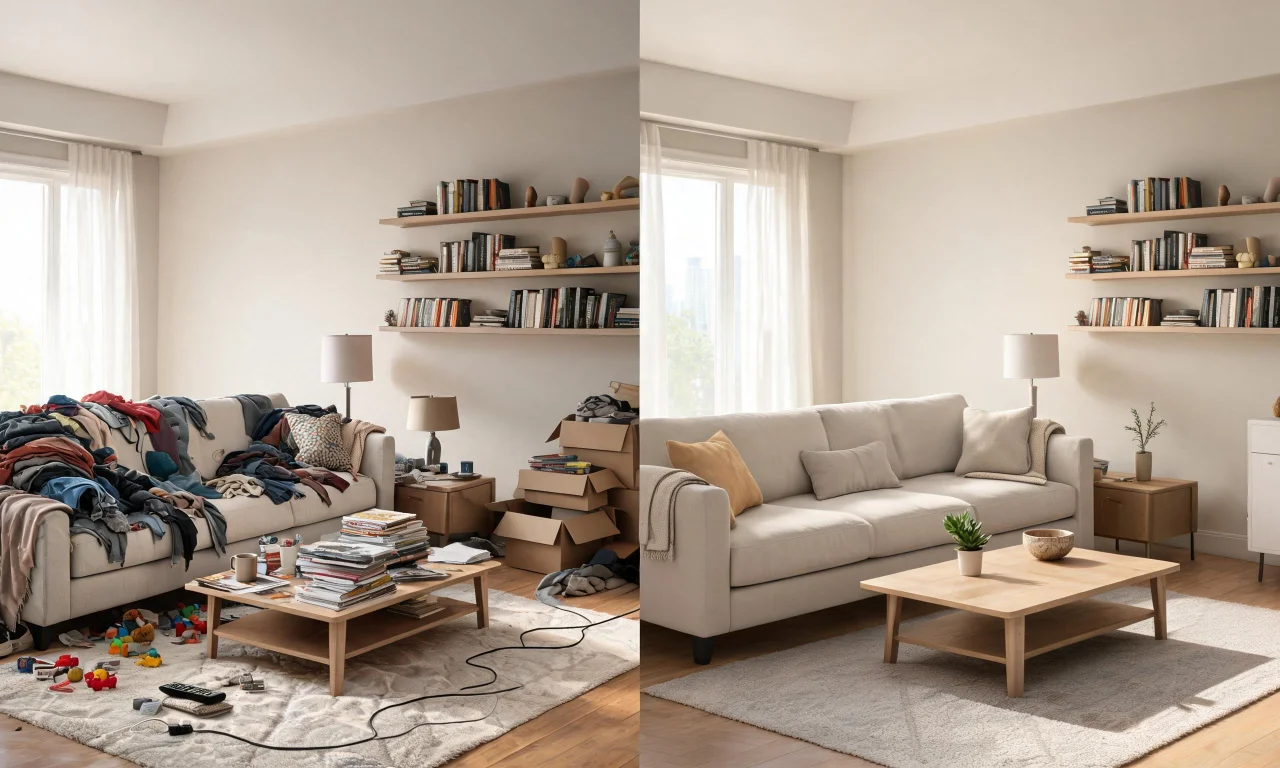
Pairing a decluttered "before" with a restyled "after" gives buyers a clear before-and-after story in the listing gallery.
That contrast is often what convinces a buyer to book a viewing rather than scroll on.
Budget Breakdown: Traditional vs AI-Assisted Flip
Numbers make the case clearer than adjectives, so here is a general comparison of where costs typically fall.
Figures will vary by market and property size, so treat this as a planning framework rather than a fixed quote.
| Cost category | Traditional staging approach | AI-assisted approach |
|---|---|---|
| Furnishing photos for listing | Rental furniture package plus delivery and pickup | AI Room Redesign or Empty Room Generator on existing photos |
| Cleaning up clutter for photos | Cleaning crew or manual staging visit | Virtual Decluttering applied to existing photos |
| Testing finishes before buying | Physical samples and multiple contractor visits | AI Room Renovation previews on the same room photo |
| Curb appeal marketing shots | Landscaping work completed before photography | AI Exterior Redesign preview of the facade |
| Turnaround time | Days to weeks, dependent on vendor schedules | Typically same-day, dependent on the workflow |
The AI-assisted column does not replace every physical task on a flip, but it does remove several from the photography timeline.
That is often the difference between listing on schedule and pushing the date back.
Common Flipper Mistakes AI Design Helps Avoid
Flippers tend to repeat the same handful of mistakes across projects, and most of them are avoidable with a bit of upfront visualization.
Over-improving a single room
Some flippers pour budget into one showpiece kitchen while the rest of the house stays flat.
Previewing styles across every room first helps balance spend more evenly before renovation begins.
Ignoring exterior curb appeal
Interior photos get most of the attention, but buyers judge a listing from the street first.
Flippers exploring bigger exterior changes may want the paid Outdoor Redesign or Landscape Renovation tools, or the Pro-tier AI Add or Replace Exterior Features for facade upgrades.
Inconsistent style across listing photos
A modern kitchen photo next to a dated, cluttered bedroom photo confuses buyers about what they are actually purchasing.
Running every room through the same restyling workflow keeps the listing gallery visually consistent.
Skipping the decluttering step
Photos with visible mess, even minor clutter, quietly lower perceived value in a buyer's mind.
A quick decluttering pass before listing photos go live is a low-cost fix many flippers still skip.
Pro tip
Run a consistency check across your whole listing gallery before publishing. One mismatched room can undercut an otherwise strong set of photos.
Browse the full AI design tools lineup to see which workflow fits each stage of your flip.
You can also check finished examples in the community gallery before planning your own shoot.
For plan details and what is included at each tier, see the pricing page.
More budgeting guides like this one are on the blog.