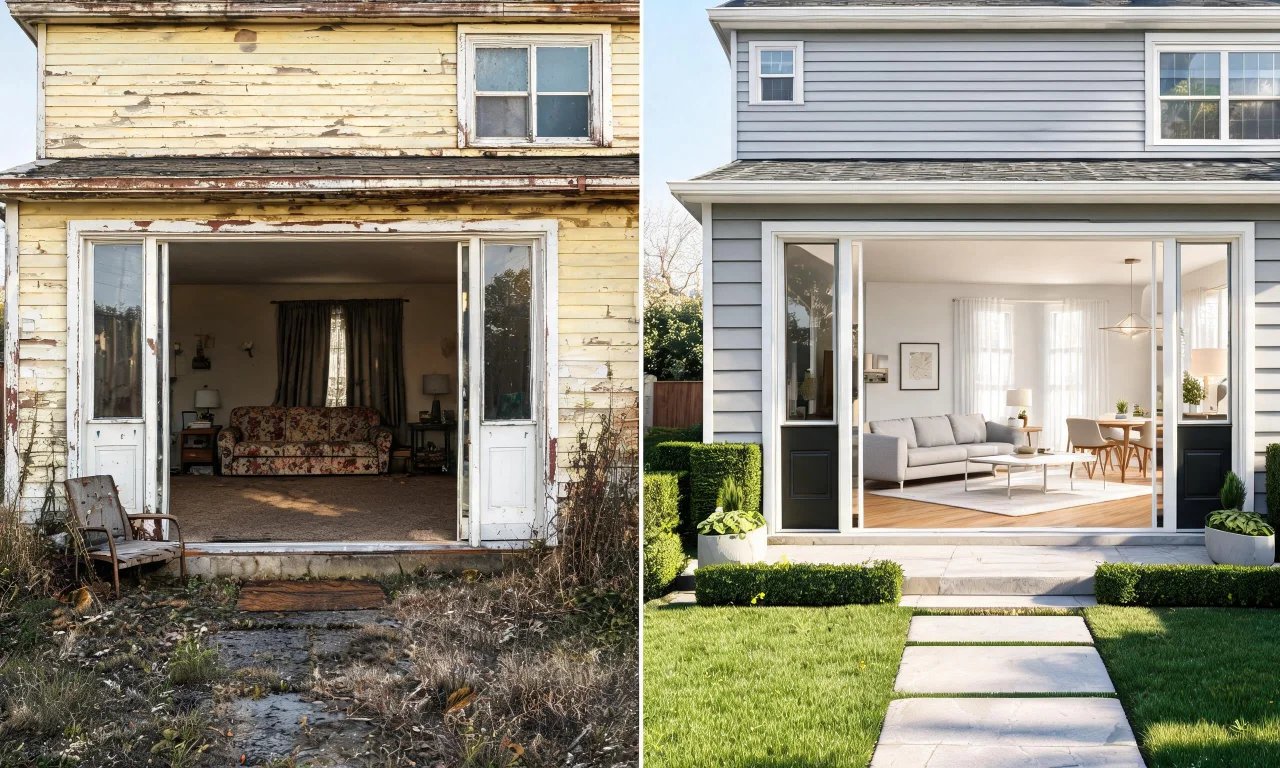
Every flipper knows the feeling: the budget spreadsheet looked fine until the contractor quote arrived.
Staging, material samples, and exterior touch-ups eat into margins fast.
ai powered design tools are changing that math by letting you preview decisions before you spend a dollar.
This breakdown shows exactly where those savings show up in a real flip budget.
Key takeaways
- Staging and material trial-and-error are two of the biggest hidden costs in a flip.
- Free ai powered design tools can replace early-stage staging and decluttering photos.
- Previewing finishes before buying reduces costly reordering and rework.
- Exterior redesign previews help justify curb-appeal spending with visual proof first.
- Paid tiers add outdoor and exterior editing once a flip nears listing day.
Typical Flipping Renovation Costs
Most flip budgets break into predictable buckets, and each one has a hidden cost multiplier.
Staging alone can run into thousands of dollars per listing, especially for vacant homes.
Material selection mistakes are almost as expensive, since swapped tile or paint often means redone labor.
Exterior work is the most visible cost to buyers, which makes it easy to overspend defensively.
- Physical staging rental and setup
- Paint, flooring, and finish samples
- Contractor consultation time for design decisions
- Landscaping and exterior refresh
- Marketing photography once the home is ready
Every one of these categories has a decision point that happens before any contractor is booked.
That decision point is exactly where ai powered design tools now insert themselves.
Where AI Design Tools Cut Spending
The savings come from replacing guesswork with a visual preview, not from replacing contractors entirely.
Flippers use these previews to align on a direction before committing to materials or furniture.
AI Room Redesign
Best for flippers who already have furnished rooms and want quick restyling ideas for listing photos.
You upload a photo of the furnished room and the tool generates restyled versions in different looks.
The strength here is speed: multiple style directions appear without moving a single piece of furniture.
The limitation is that it restyles existing rooms, so it will not help with a fully empty property.
Try AI Room Redesign on a furnished flip before deciding on a staging theme.
Virtual Decluttering
Best for flips bought with tenants' or previous owners' belongings still inside.
It removes light indoor clutter from photos so the space reads cleaner in listings.
The strength is that it saves a cleanup photo shoot before the real cleanup happens.
The limitation is that it handles light clutter, not full furniture removal or heavy renovation debris.
Empty Room Generator
Best for vacant flips where you want to test virtual staging before renting real furniture.
This is the workflow used for AI virtual staging: it clears the space, then furnishes it digitally.
The strength is avoiding a staging rental cost while you still decide on a design direction.
The limitation is that it previews a look; it does not manage real staging logistics or delivery.
Explore the AI Empty Room Generator before booking a physical staging company.
Pro tip
Run a vacant room through the empty room workflow before requesting staging quotes.
It gives your stager a clear style brief instead of a blank room to guess at.
Previewing Materials Before You Buy
Material mistakes are one of the quietest budget killers on any flip.
Reordering tile, paint, or countertop samples adds both cost and schedule delay.
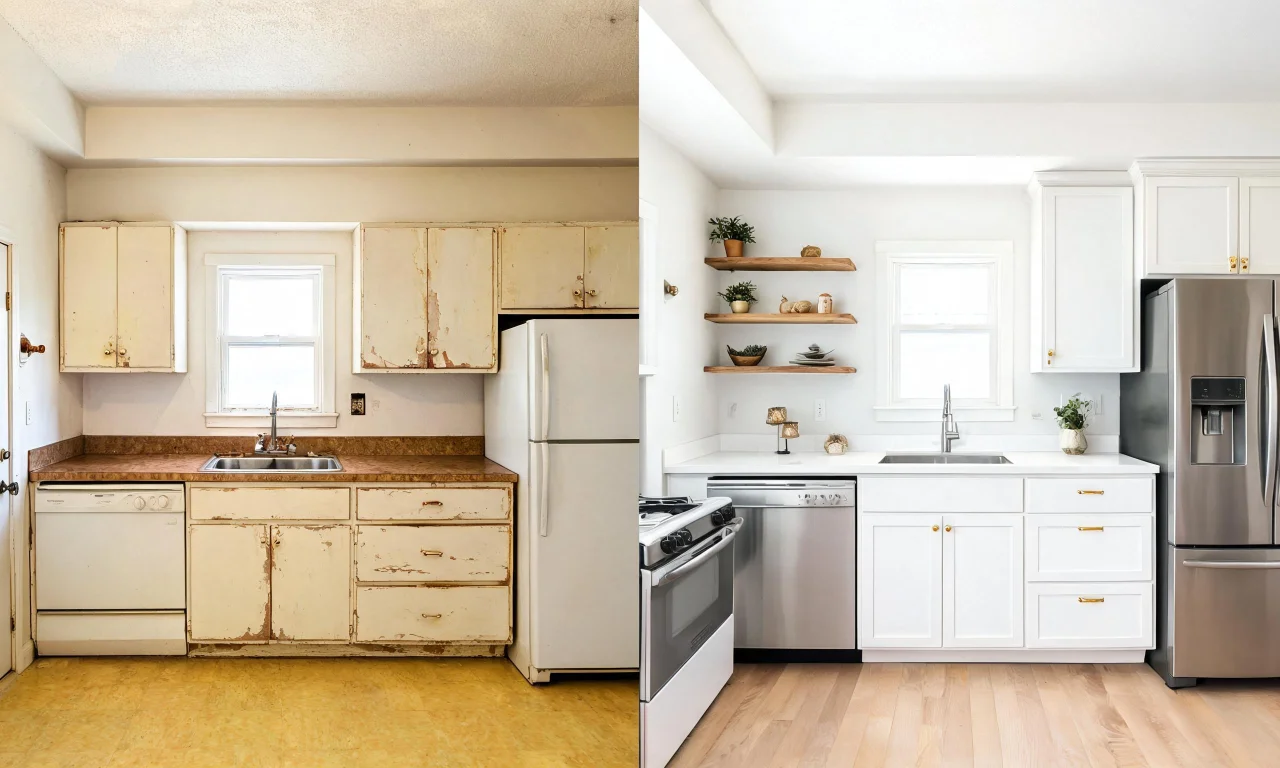
AI Room Renovation
Best for flippers deciding between finish options before placing a materials order.
You upload a room photo and preview different flooring, paint, or countertop finishes on it.
The strength is that it turns an abstract swatch decision into a realistic room preview.
The limitation is that it previews finishes visually; it does not calculate material costs or quantities.
Use it early in the scope-of-work stage, not after materials are already on order.
That single check can prevent a return trip to the supplier.
Exterior Redesign for Curb Appeal ROI
Curb appeal decisions are high-stakes because buyers judge a home before they walk in.
Overspending on exterior work "just in case" is common when there is no way to preview the result first.
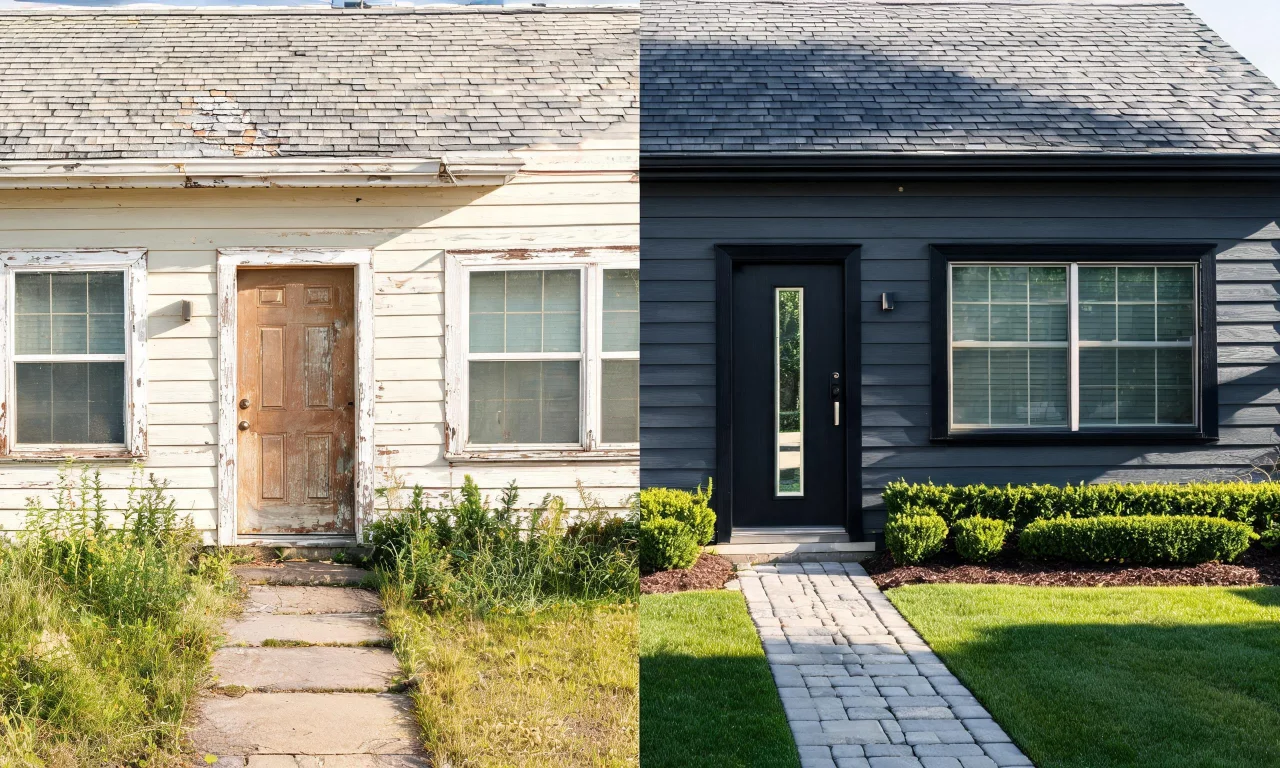
AI Exterior Redesign
Best for flippers weighing siding, paint, or roofing changes before hiring an exterior crew.
It restyles a photo of the facade so you can compare finish options side by side.
The strength is testing bold or subtle exterior changes without committing to paint or materials first.
The limitation is that it restyles the exterior visually; it will not price out contractor labor.
Preview options with AI Exterior Redesign before the exterior crew arrives on site.
Once a flip nears listing, some teams move to paid tiers for deeper exterior control.
Outdoor Redesign and Landscape Renovation sit on the Starter plan, useful for yards and hardscaping previews.
Exterior Renovation and AI Add or Replace Exterior Features sit on the Pro plan for structural facade changes.
These are not free tools, so weigh them against the flip's actual exterior budget line.
Pro tip
Test three exterior color directions digitally before buying a single paint sample.
It narrows the decision to one confident choice instead of three trial cans.
Real Cost Comparison Table
Here is how a traditional approach to design decisions compares against an ai powered design tools workflow.
These are typical line items, not guaranteed figures, since every flip and market differs.
| Budget line item | Traditional approach | AI-assisted preview approach |
|---|---|---|
| Vacant room staging | Rental furniture and setup fees | Digital preview via the Empty Room Generator before committing to a look |
| Clutter cleanup for photos | On-site cleaning crew visit | Virtual Decluttering on existing photos |
| Finish selection | Multiple sample orders and returns | AI Room Renovation preview before ordering |
| Facade style decision | Contractor mockups or trial paint | AI Exterior Redesign preview on the actual photo |
| Yard and landscaping direction | Landscaper site visit for concepts | Starter-plan Outdoor Redesign or Landscape Renovation preview |
The pattern is consistent: previews shift spending later, after a direction is already confirmed.
That confirmation step is what actually protects a flip's margin.
Tips to Maximize Flip Returns
Budget discipline on a flip is less about cutting corners and more about sequencing decisions correctly.
- Photograph every room before any demolition starts, for reference and preview accuracy.
- Run vacant rooms through a staging preview before requesting rental quotes.
- Preview two or three finish options before placing any material order.
- Test exterior color and material changes digitally before the crew arrives.
- Keep Starter and Pro tool upgrades tied to specific, planned scope items, not impulse use.
Flippers who sequence decisions this way tend to spend less on redo work overall.
They also arrive at contractor conversations with a clearer, more specific brief.
Pro tip
Save every preview image alongside the room's real photo in one folder per property.
It becomes a fast reference for contractors and future listing agents alike.
For a broader look at how these tools fit different renovation stages, browse the full AI Design Tools lineup.
You can also see finished examples from other flips in the Community Gallery.
When you are ready to compare plans, check current tiers on the Pricing page.